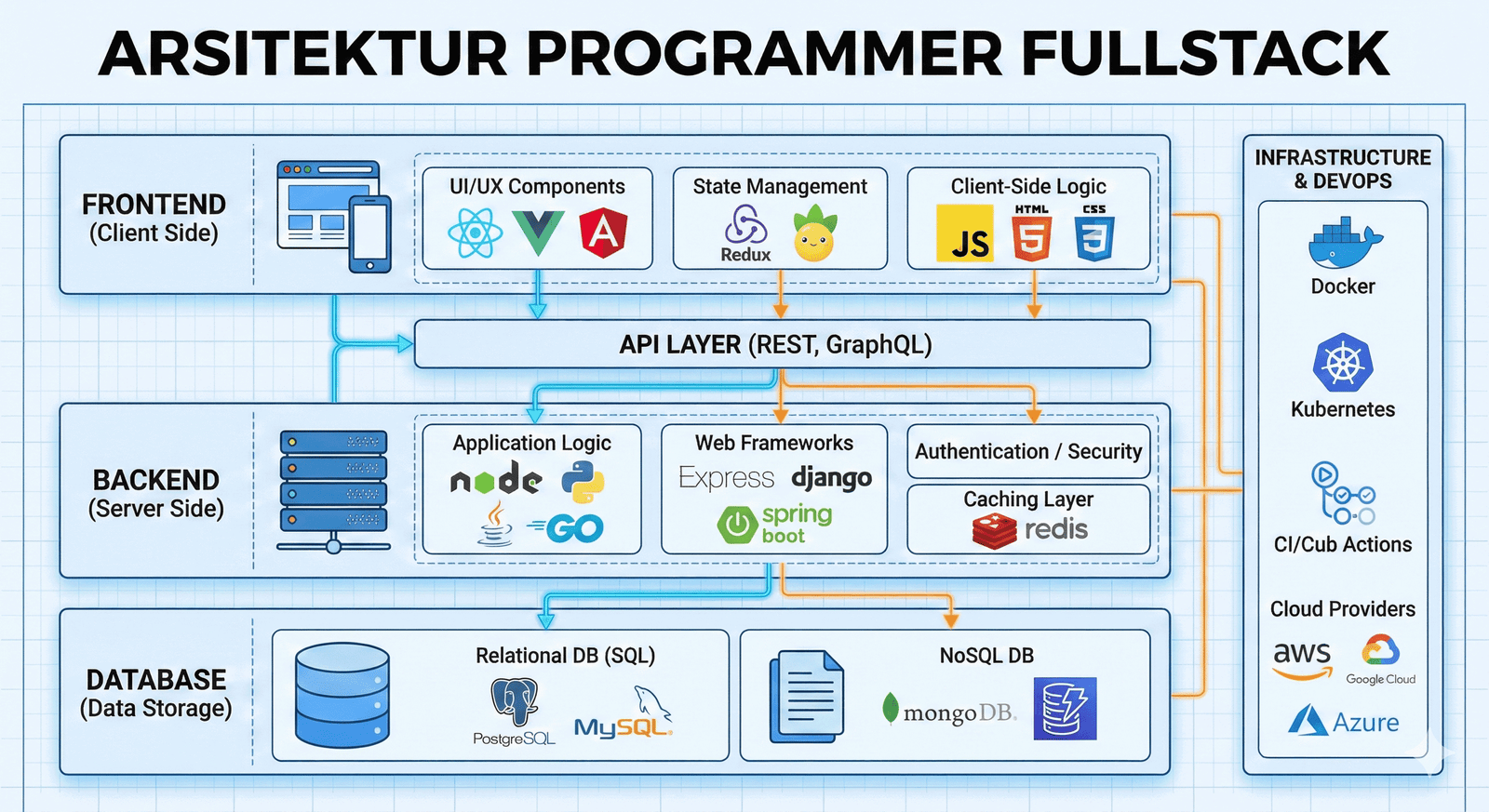
If you are learning to build a modern Login/Auth system using JWT (JSON Web Token), you were likely taught this workflow:
User logs in.
Server sends a token.
Frontend stores the token: localStorage.setItem('token', data.token).
I have to say this loudly: THAT IS DANGEROUS.
The method above is the most common, the easiest, and simultaneously the most vulnerable to being hacked. As professional Fullstack Developers, we must stop sacrificing security for the sake of coding convenience.
In this article, we will deconstruct why LocalStorage is the worst place for secret tokens and how to implement a "Bulletproof" authentication architecture using HttpOnly Cookies.
The Arch-Nemesis: XSS (Cross-Site Scripting) Attacks
Why is LocalStorage dangerous? Because it is completely accessible. Any JavaScript code running on your website can read the contents of your LocalStorage.
Imagine this scenario:
You install a third-party library (for example, an image slider plugin or a free analytics tool).
It turns out the library has been injected with malicious code (malware).
That malicious code only needs to run one line: const token = localStorage.getItem('token');
Your token is stolen and sent to the hacker's server.
Within seconds, your user's account is hijacked.
This is called an XSS (Cross-Site Scripting) attack. As long as you store tokens in a place accessible by JavaScript (LocalStorage or SessionStorage), you will never be safe from XSS.

The Solution: The HttpOnly Cookie Fortress
So, where should we store JWTs? The answer is inside an HttpOnly Cookie.
Unlike LocalStorage, an HttpOnly Cookie is a specific type of browser storage that:
Is sent automatically every time the browser makes a request to the server.
CANNOT BE READ by JavaScript (document.cookie will not display it).
This means even if your website suffers an XSS attack and malicious code is running, that code is effectively "blind." it cannot see, copy, or steal your token because the token is "locked" by the browser and can only be accessed by the server.
Technical Implementation: Changing the Auth Architecture
This implementation requires cooperation between the Backend and the Frontend.
1. Backend Side (Laravel/Node.js)
Stop sending the token in the JSON response body. Send it as a Cookie upon a successful login.
PHP
// Example in Laravel (Backend)
$token = $user->createToken('auth_token')->plainTextToken;

$cookie = cookie(
    'jwt_token',      // Cookie name
    $token,           // Token value
    60 * 24,          // Duration (minutes)
    null, null, true, // Path, Domain, Secure (HTTPS)
    true              // HttpOnly (THIS IS THE KEY!)
);

return response()->json(['message' => 'Login Successful'])
                 ->withCookie($cookie);
2. Frontend Side (React/Vue/Blade)
You no longer need to write localStorage.setItem. Delete that line! Since the cookie is sent automatically by the browser, you only need to ensure every API request includes credentials.
JavaScript
// Example in Axios (Frontend)
axios.defaults.withCredentials = true; // Must be enabled

// Requests become cleaner; no need to manually set the Authorization Header
axios.get('/api/user').then(response => {
   console.log(response.data);
});
The Challenge: CSRF (Cross-Site Request Forgery)
"But if I use Cookies, won't I be vulnerable to CSRF attacks?"
Exactly. That is why no security system is single-layer. When you switch to Cookies, you close the XSS loophole but slightly open a CSRF loophole.
However, don't panic. Modern frameworks like Laravel or Next.js have built-in CSRF Protection. You simply need to ensure the frontend sends the X-XSRF-TOKEN (this one is safe to be read by JS because it is not a login token) with every request.
Myth vs. Fact: Why Do Developers Still Insist on Using LocalStorage?
Often, the main reason developers refuse to switch to HttpOnly Cookies isn't because the technology is difficult, but because they are trapped in common myths. Let’s clear them up one by one.
Myth #1: "Setting Cookies is complicated; LocalStorage is just one line of code!"
Fact: While LocalStorage is just setItem, user data security is not the place to look for shortcuts. In modern frameworks, creating a secure cookie is incredibly easy. A few extra minutes of setup is much better than five days of panic because user data was stolen.
Myth #2: "If I use Cookies, Mobile Apps (Flutter/Android) won't be able to connect!"
Fact: This is entirely false. Native mobile apps have their own secure storage mechanisms (like Keychain on iOS or Keystore on Android). They do not use the browser's LocalStorage. You can simply implement logic on your Backend: If the request is from a Browser -> Send a Cookie; if it's from a Mobile App -> Send a JSON Token.
Myth #3: "Big Tech giants use LocalStorage too!"
Fact: Try inspecting the elements on Facebook, Twitter, or Google. Check the Application -> Cookies tab. You will see their primary session tokens (Session ID) stored in strictly protected Cookies. What do they store in LocalStorage? Usually just trivial settings like "Dark Mode: On" or "Last Visited Page." They know which data is "trash" and which data is "diamonds." Don't just copy the tool; copy the strategy.
Myth #4: "Cookies are slow because they are sent back and forth."
Fact: The size of a JWT or Session ID is usually less than 1KB. Sending that tiny amount of data over modern 4G/5G/Fiber Optic networks will show zero noticeable difference. The security risk of LocalStorage is far more "expensive" than a few bytes of network overhead.
Security is a two-way street. Don't let your hard work optimizing backend performance (read: Node.js Tutorial: Don't Let One Slow API Destroy Your App) go to waste just because user tokens are stolen through a trivial frontend vulnerability.
Conclusion: Professionalism Starts with Security
Moving your token storage from LocalStorage to HttpOnly Cookies might feel tedious at first. You have to manage CORS configurations, domains, and SSL.
However, that is the price of security. Users entrust their data to you. Do not betray that trust just because you are too lazy to type a few extra lines of code for a Cookie configuration.
Starting today, let’s bury the localStorage.setItem('token') habit and move toward a safer industry standard. Make your Fullstack application an impenetrable fortress.